Starting the year with a new bs Grid update that adds Accordion and Tabs block patterns and introduces a reworked frontpage built with these components in practice.
Contents
bs Grid update
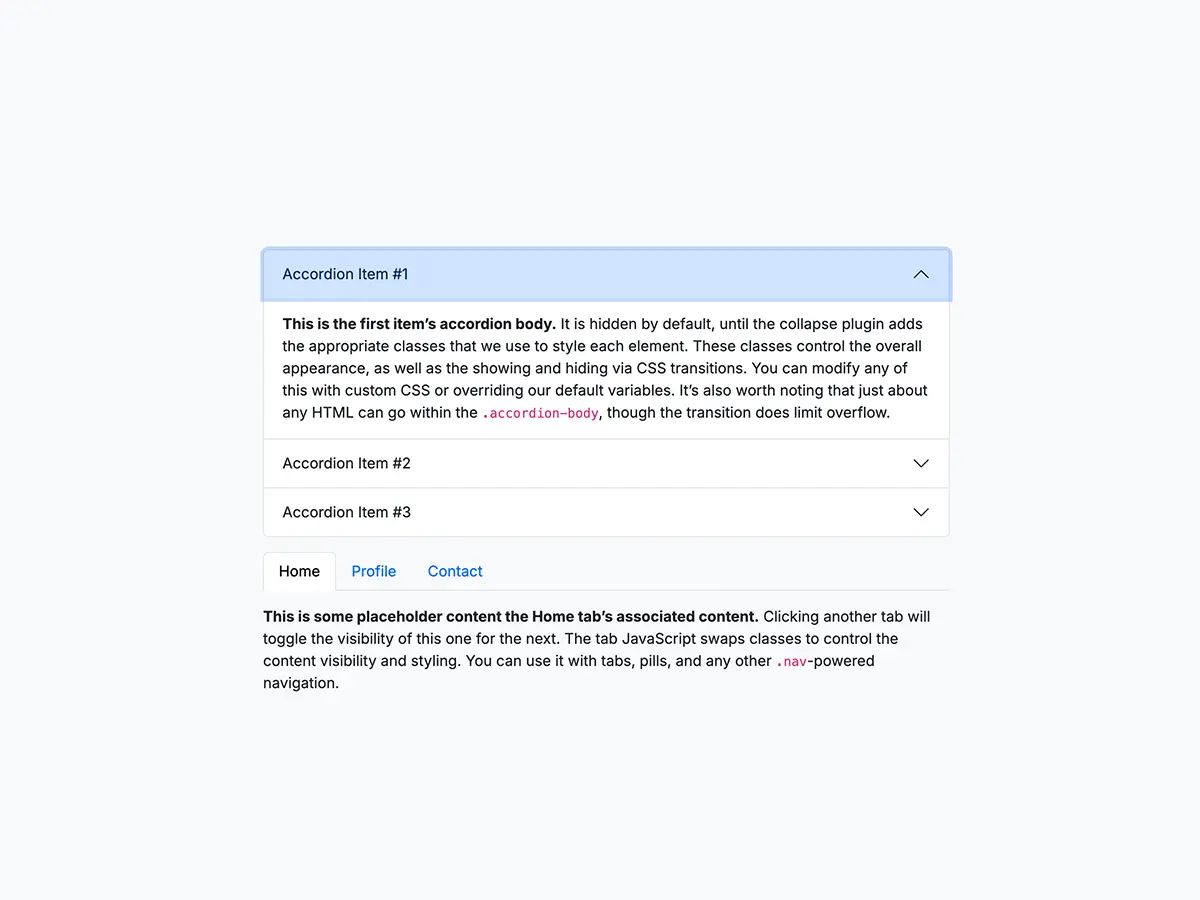
This update for the bs Grid plugin adds block patterns for Bootstrap Accordion and Tabs components, improving content structure and editing efficiency:
Accordion
This is the first item’s accordion body. It is hidden by default, until the collapse plugin adds the appropriate classes that we use to style each element. These classes control the overall appearance, as well as the showing and hiding via CSS transitions. You can modify any of this with custom CSS or overriding our default variables. It’s also worth noting that just about any HTML can go within the .accordion-body, though the transition does limit overflow.
This is the second item’s accordion body. It is hidden by default, until the collapse plugin adds the appropriate classes that we use to style each element. These classes control the overall appearance, as well as the showing and hiding via CSS transitions. You can modify any of this with custom CSS or overriding our default variables. It’s also worth noting that just about any HTML can go within the .accordion-body, though the transition does limit overflow.
This is the third item’s accordion body. It is hidden by default, until the collapse plugin adds the appropriate classes that we use to style each element. These classes control the overall appearance, as well as the showing and hiding via CSS transitions. You can modify any of this with custom CSS or overriding our default variables. It’s also worth noting that just about any HTML can go within the .accordion-body, though the transition does limit overflow.
Accordion flush
This is the first item’s accordion body. It is hidden by default, until the collapse plugin adds the appropriate classes that we use to style each element. These classes control the overall appearance, as well as the showing and hiding via CSS transitions. You can modify any of this with custom CSS or overriding our default variables. It’s also worth noting that just about any HTML can go within the .accordion-body, though the transition does limit overflow.
This is the second item’s accordion body. It is hidden by default, until the collapse plugin adds the appropriate classes that we use to style each element. These classes control the overall appearance, as well as the showing and hiding via CSS transitions. You can modify any of this with custom CSS or overriding our default variables. It’s also worth noting that just about any HTML can go within the .accordion-body, though the transition does limit overflow.
This is the third item’s accordion body. It is hidden by default, until the collapse plugin adds the appropriate classes that we use to style each element. These classes control the overall appearance, as well as the showing and hiding via CSS transitions. You can modify any of this with custom CSS or overriding our default variables. It’s also worth noting that just about any HTML can go within the .accordion-body, though the transition does limit overflow.
Tabs
This is some placeholder content the Home tab’s associated content. Clicking another tab will toggle the visibility of this one for the next. The tab JavaScript swaps classes to control the content visibility and styling. You can use it with tabs, pills, and any other .nav-powered navigation.
This is some placeholder content the Profile tab’s associated content. Clicking another tab will toggle the visibility of this one for the next. The tab JavaScript swaps classes to control the content visibility and styling. You can use it with tabs, pills, and any other .nav-powered navigation.
This is some placeholder content the Contact tab’s associated content. Clicking another tab will toggle the visibility of this one for the next. The tab JavaScript swaps classes to control the content visibility and styling. You can use it with tabs, pills, and any other .nav-powered navigation.
How it works
You can now create structured, in-page content directly in the block editor, including collapsible sections and tabbed layouts, without custom HTML.
These patterns work well for FAQs, feature overviews, and documentation sections. They help organize content more clearly and improve overall readability.
The bs Grid plugin continues to focus on clean, predictable output while simplifying the creation of interactive UI elements.
The frontpage uses the Tabs and Accordion block patterns to demonstrate practical use cases. In addition, Bootstrap utility classes and a small amount of custom JavaScript and CSS refine the layout and interactions.
As a result, the new frontpage provides a more focused entry point. It improves content discoverability and readability while staying aligned with the Bootstrap and Bootscore approach.